Contents
00. Overview
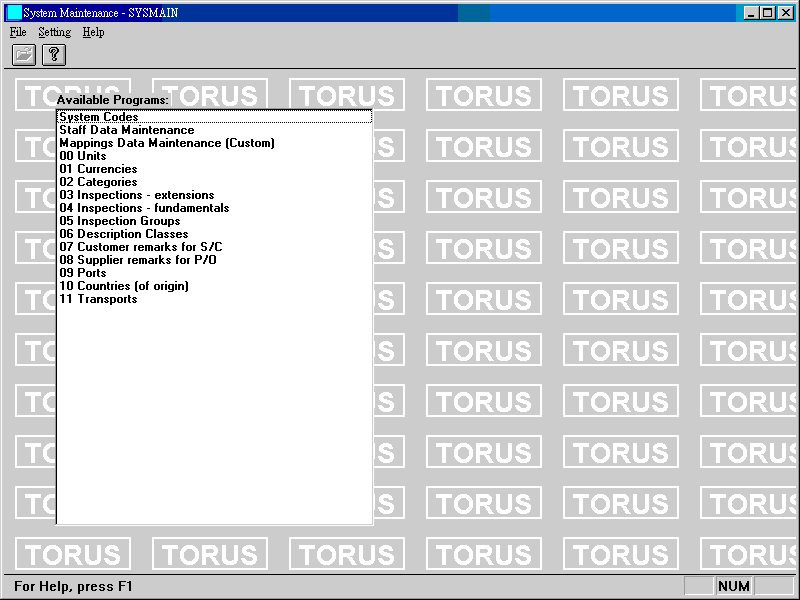
系統維護包含幾個程式, 是否出現在畫面上, 視使用者之權限而定.

ET6.1 所使用的參數預先設定於此. 這些編碼會影響 ET6.1 各方面表現, 內部計算, 文件格式, 預設文字等等, 不可隨便改變. 詳細定義如表.
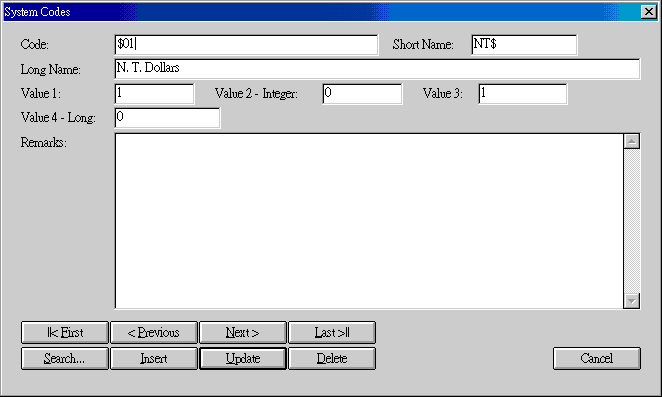
要查看所有系統編碼, 按 Search..., 內容如下:
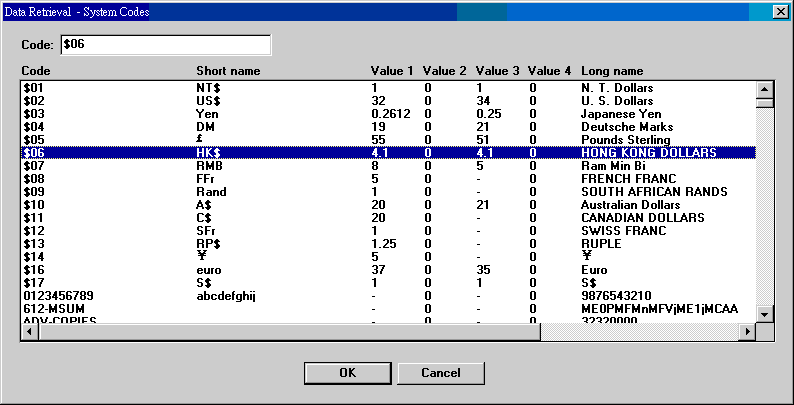
假如要找的編碼的 Code 已知道, 可以直接在 Code 欄位輸入, 按 OK 鍵或 Enter; 否則, 你可上下搜尋, 找到項目後點二下.
基本的人事資料可存於此處. 各式文件須用到人名 (如經辦人) 時, 便是由此取得對應名稱. 統計 Staff Performance Rating 亦須用到此資料. 若無人名, 則只顯示編號.
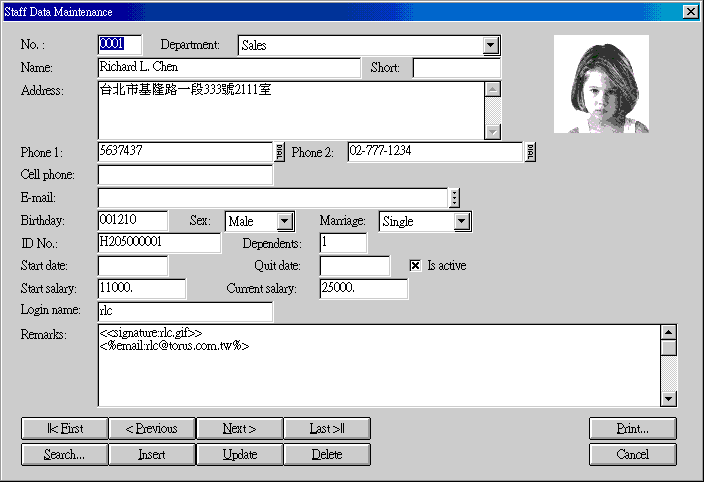
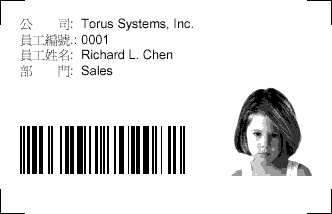
將員工最基本資料和相片印成員工卡, 並附加條碼, 供簽到簽退掃瞄. 卡的大小為 3" x 2.25" (8.9 x 5.7 cm).
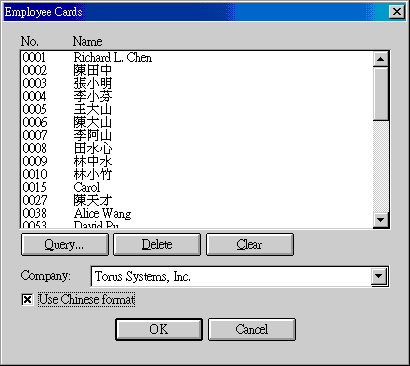
使用 Query 設定列印範圍. 可重複使用, 加入不同的範圍. 不需要的人員用 Delete 刪除. Non-active 員工不會印出.
Category 用於產品分類. 在 product item 或 customer item no. 兩大產品檔案, 分類有 category, subcategory, subsubcategory 三個層次. 這三層分類都用以下的設定, 可以交叉, 意即同一 category 可以用於 subcategory, 也可以用於 category. Categories 最多可以設 1000 個, 000 保留為空白. Category 長度為 100 bytes. 在程式中, category 以下拉的 combo box 呈現, 排列順序標準是依 code. 若要改依 category 排列, 用系統編碼 SYSTEM-GENRE 第 15 字設定.
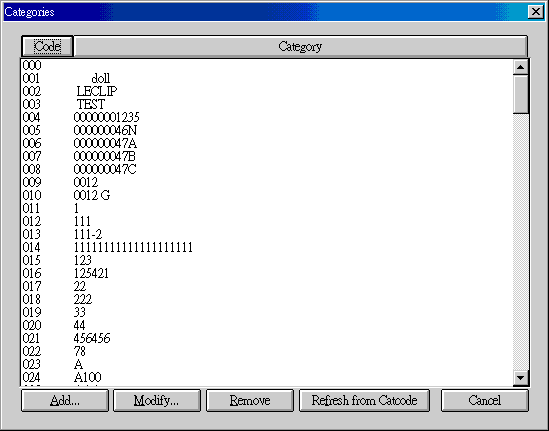
| Code | 按 Code 可將資料依 code 重排. |
| Category | 按 Category 可將資料依 category 重排. |
| Add | 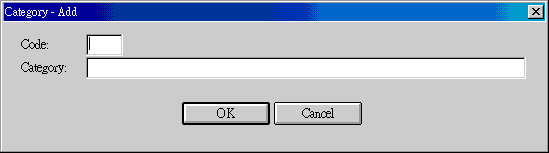 Code 的範圍為 001 到 999. |
| Modify | |
| Remove | |
| Refresh from Catcode | Catcode 是由 etconv.exe (ET Conversion) 讀取舊產品檔的 category, subcategory, subsubcategory 後存下的特殊檔案. Refresh 可以用調整過的 catcode 重新建立 categories. 詳細做法見 Torus Message No. 0381. |
延伸驗貨需求指的是使用者可以自訂的驗貨項目.
44. Inspections - Fundamentals
基本驗貨需求指的是內容會隨著訂貨單變化的驗貨項目, 如包裝重量等. 這些項目的編碼 (code) 由系統指定且固定不能動. 每個編碼都對應一個簡單或複雜的訂貨單內容, 由訂貨單產生驗貨單時, 這些特定的訂貨單內容會自動移轉過去. 基本驗貨需求設於系統編碼中, 範圍在 INSPECTF1000 至 INSPECTF1999, 計 1000 個, 目前只少數用掉. 設定內容含 short description, long description 和 details. Short description 為操作時使用的簡單提示, long description 為驗貨單或驗貨報告項目, details 則是該項目的詳細規格, 說明或指示. 所有設定均只做為範本使用. 在產品檔或客戶貨號檔, 視需要選擇所需之驗貨需求後, 可以在這些基礎設定上加入自己所需資訊. 驗貨單用的便是這種結合後的資訊.
| Code | Short Description | Long Description | Details |
|---|---|---|---|
| 1000 | Product dimensions | Product dimensions | |
| 1001 | Product diameter | Product diameter | |
| 1002 | Product N.W. | Product N.W. | |
| 1003 | Product G.W. | Product G.W. | |
| 1010 | Item dimensions | Item dimensions | |
| 1011 | Item bar code | Item bar code | |
| 1012 | Item cube | Item cube | |
| 1013 | Item N.W. | Item N.W. | |
| 1014 | Item G.W. | Item G.W. | |
| 1020 | Inner | Inner | |
| 1021 | Inner dimensions | Inner dimensions | |
| 1022 | Inner bar code | Inner bar code | |
| 1023 | Inner cube | Inner cube | |
| 1024 | Inner N.W. | Inner N.W. | |
| 1025 | Inner G.W. | Inner G.W. | |
| 1030 | Outer | Outer | |
| 1031 | Outer dimensions | Outer dimensions | |
| 1032 | Outer bar code | Outer bar code | |
| 1033 | Outer cube | Outer cube | |
| 1034 | Outer N.W. | Outer N.W. | |
| 1035 | Outer G.W. | Outer G.W. | |
| 1036 | Unit outer | Unit outer | |
| 1040 | Pallet outers | Pallet outers | |
| 1041 | Pallet dimensions | Pallet dimensions | |
| 1042 | Pallet bar code | Pallet bar code | |
| 1043 | Pallet cube | Pallet cube | |
| 1044 | Pallet N.W. | Pallet N.W. | |
| 1045 | Pallet G.W. | Pallet G.W. | |
| 1050 | Short mark | Short mark | |
| 1051 | Shipping marks | Shipping marks | |
| 1052 | Carton nos. | Carton nos. | |
| 1053 | Packages | Packages | |
| 1060 | Country of origin | Country of origin | |
| 1070 | P/O item name | P/O item name | |
| 1071 | P/O short description | P/O short description | |
| 1072 | P/O full description | P/O full description | This field will be overwritten by actual data. |
| 1075 | Customer item item name | Customer item item name | |
| 1076 | Customer item short description | Customer item short description | |
| 1077 | Customer item full description | Customer item description | This field will be overwritten by actual data. |
| 1078 | Customer item alternative description | Customer item alternative description | This field will be overwritten by actual data. |
| 1080 | Product item name | Product item name | |
| 1081 | Item short description | Item short description | |
| 1082 | Item full description | Item full description | This field will be overwritten by actual data. |
| 1083 | Item alternative description | Item alternative description | This field will be overwritten by actual data. |
| 1090 | Packaging | Packaging | |
| 1091 | Packing | Packing |
Inspection groups 用於將驗貨單上的驗貨項目依 group name 歸類. Groups 依名稱排列, code 的順序不影響下拉 combo box 的顯示.
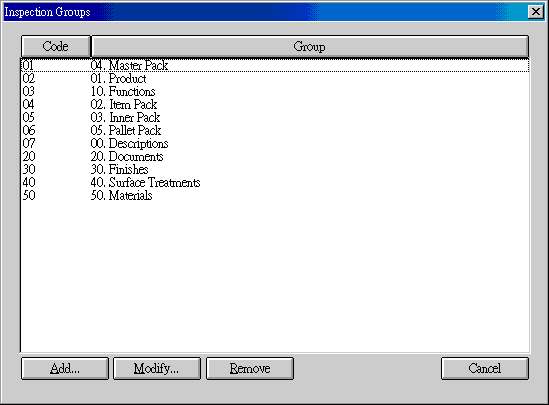
| Code | 按 Code 可將資料依 Code 重排. |
| Group | 按 Group 可將資料依 group name 重排. |
| Add | 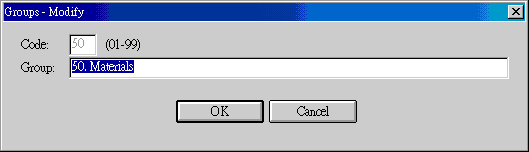 Code 範圍在 01 到 99. 00 保留給空白, 其他不能再有空白. |
| Modify | 更改只能改 group, 不能改 code. 要改變 code, 先移除再新. |
| Remove |
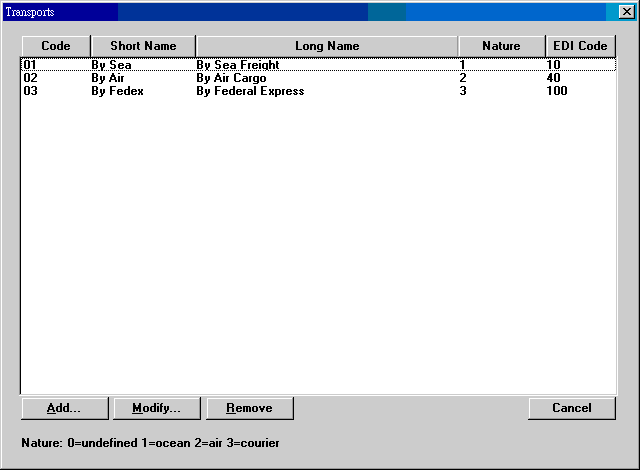
| Code | 01-30 (TRANSPORTxx: xx = 01 to 30) |
| Short Name | 最好在 10 字之內, 便於報表呈現. |
| Long Name | |
| Nature | Invoice 利用此數字區分 transportation 的文字. 0=未用. 1=海運. 2=空連. 3=courier. |
| EDI Code | EDIFACT EDI 運輸碼. |
| Add | |
| Modify | |
| Remove |
| Date | Version | Downloads | Actions | Explanations |
|---|---|---|---|---|
| 2011-12-28 | SP4 | sysmainc.exe. 非繁體中文視窗使用者改下載 sysmainz.exe. | 增加 transports 的編輯. | |
| 2010-8-19 | SP4 | sysmainc.exe. 非繁體中文視窗使用者改下載 sysmainz.exe. | 增加: (1) 員工資料列印標題文字設定. (2) Ports, countries 等之編輯. | |
| 2008-11-19 | SP4 | sysmainc.exe. 非繁體中文視窗使用者改下載 sysmainz.exe. | 增加 groups 的編輯. |
| Code | Fields | Values | Explanations |
|---|---|---|---|
| SYSMAIN-LABELS-0 | 8 | 0=continued 1=End 2=Date 3=Page 4=Page: %d 5=No. 6=Note 7=Total 8=Subtotal 9=Salary 10=Staff Name List 11=Male 12=Female 13=Single 14=Married 15=Divorced 16=Widowed 17=Address 18=Department 19=Sex 20=Birthday 21=Start Date 22=Current Salary 23=Phone 24=Photo 25=Staff Name 26=Marriage 27=Starting 28=Personal ID 29=Quit Date 30=Nick Name 31=E-Mail 32=Years 33=Cell Phone 34=Alternative Name 35=Personal Information 36=Staff No. 37=Start Salary 38=Emergency Contact 39=Relation 40=Dependents 41=Employee Card 42=Company 43=Name 44=Dept. |
|
| SYSMAIN-LABELS-1 | 8 | 0=接次頁 1=結束 2=日期 3=頁數 4=頁數: %d 5=號碼 6=附註 7=合計 8=小計 9=薪資 10=員工名單 11=男 12=女 13=單身 14=已婚 15=離婚 16=喪偶 17=地址 18=部門 19=性別 20=出生日期 21=到職日期 22=目前薪資 23=電話 24=相片 25=員工姓名 26=婚姻 27=開始 28=身分證字號 29=離職日期 30=暱稱 31=電字郵件 32=年資 33=行動電話 34=另外姓名 35=員工個人資料 36=員工號碼 37=起始薪資 38=緊急聯絡人 39=關係 40=撫養人數 41=員工名牌 42=公司 43=姓名 44=部門 |
|
| SYSMAIN-LABELS-2 | 8 | ||
| SYSTEM-GENRE | 3 | 0NN... | 30. Unit list order (1=code 2=short name) 31. Currency list order (1=code 2=short name) 32. Terms list order (1=code 2=short name) 33. Container list order (1=code 2=short name) 34. Transport list order (1=code 2=short name) 35. Department list order (1=code 2=short name) 36. Payment list order (1=code 2=short name) 37. Truck list order (1=code 2=short name) 38. Warehouse list order (1=code 2=short name) 50. Excel template version 2003 (Y/N) |
Last modified: June 2014