Contents
00. OverviewWe define resources as buttons on toolbars, controls (including buttons, check boxes, text boxes, display boxes and other fields) on windows and dialog boxes and menu items. These resources control the detailed use of Torus. For specified resources, permissions can be granted to users so that they can or cannot access and use those resources. The scope of available resources is listed in Permissions Table. Resources are to be added as requirements of security control arise. You are supposed to further add permissions to users and groups for these newly added resources. There is a security level property for each resource. We recommend to use 5.
To start setting up Torus security, the first thing to do is, of course, to define users in your organization. The name Confucius is reserved for the all-mighty administrator who can use all resources no matter what your settings are. Users can only look up users and resources with security levels lower or equal to theirs. We recommend 0 for user security level. For specific users with not enough security levels, we can configure resource settings so as to let them look up specified resources.
The second step is to define groups. A user can be a member of different groups. The effective permissions are the union of his groups. You are strongly advised to set resource permissions against groups, instead of users. This way, when there is change in users, all you need to do is to inactivate or delete the user and do not have to touch the security structure.
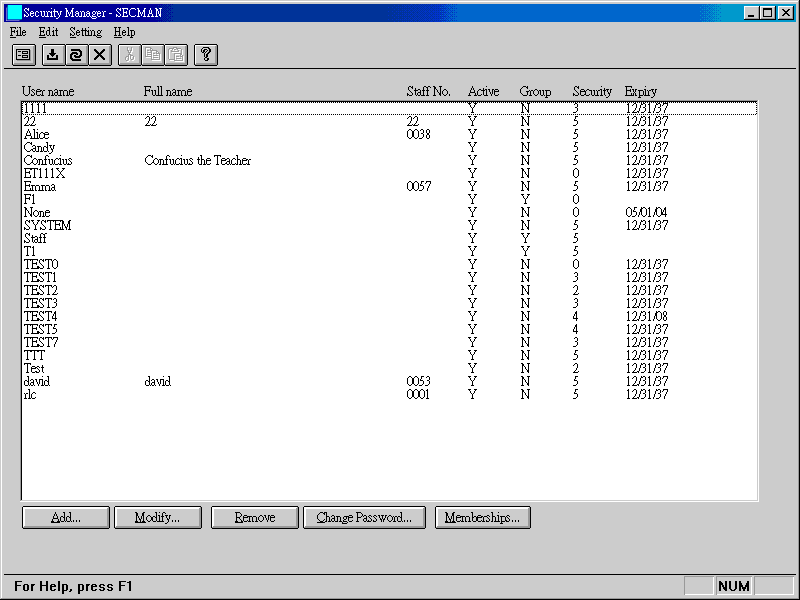
The start window shows users and groups. To switch to the resource window, click the left-most button on the toolbar and select Resources.
| Add | To add a new user or group. 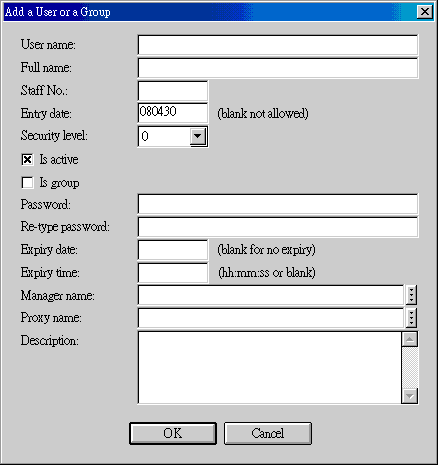
|
||||||||||||||||||||||||||||
| Modify | To modify user/group fields: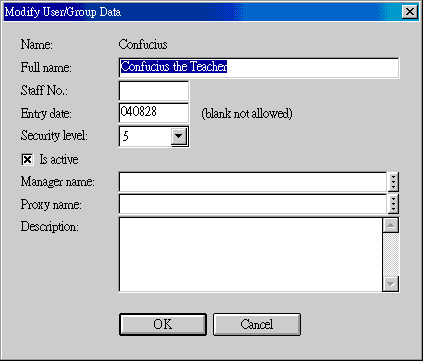
|
||||||||||||||||||||||||||||
| Remove | To remove a user or group, along with all permissions. | ||||||||||||||||||||||||||||
| Change Password | 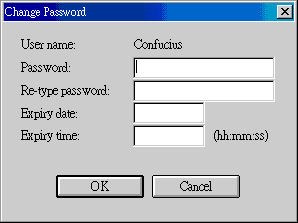 |
||||||||||||||||||||||||||||
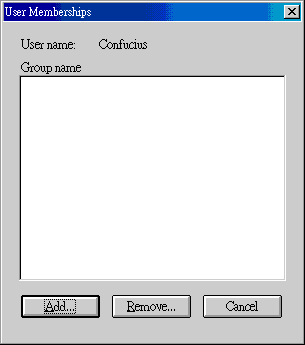
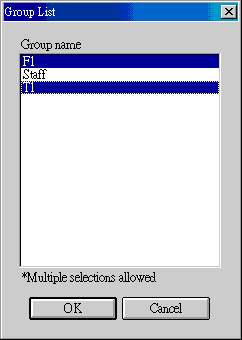
| Memberships |
|

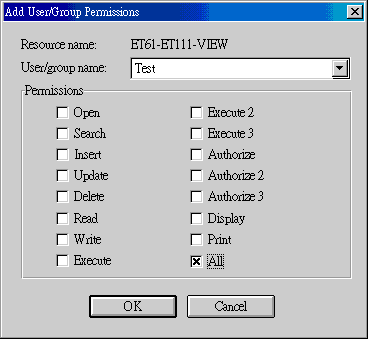
A resource is defined as System ID + Program ID + Function ID, three components of different detail levels. There are 16 permissions for such a resource. System ID is a fixed ET61. Program ID refer to a program name (executable name without extension, e.g., ET111). Function ID can include MENU, VIEW, EDITITEMS, NEW, NAY, etc., depending on the security control complexity of a program. Permissions refer to buttons, menu items, fields, etc. (See Permissions Table.
User Confucius can access all resources in Torus. Other users can only access resources with resource security levels lower than or equal to their own security levels. System code SECMAN-username can allow specific users to access specific resources, without regard to these users' security levels.
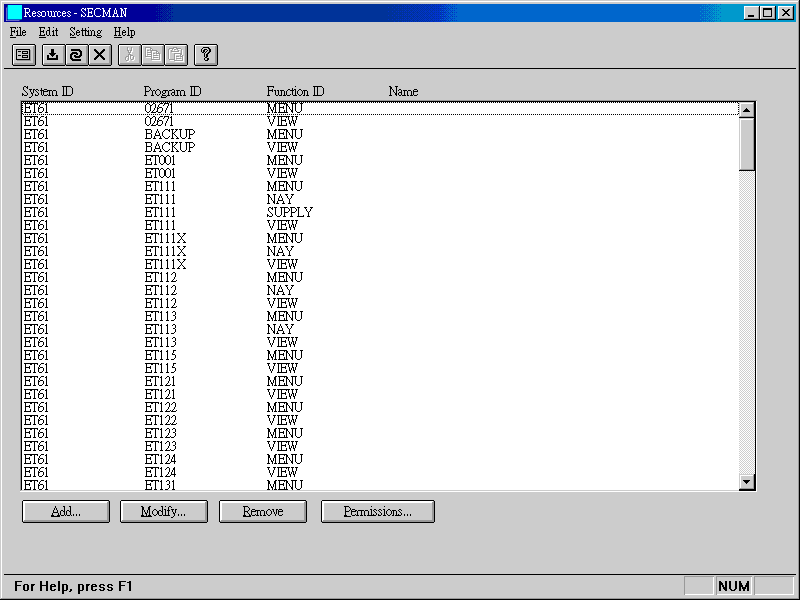
| System ID | ET61 | ||||||
| Program ID | Refer to Permissions Table. | ||||||
| Function ID | Refer to Permissions Table. | ||||||
| Add | When new programs or functions are added to
Torus,
resources should be added, too.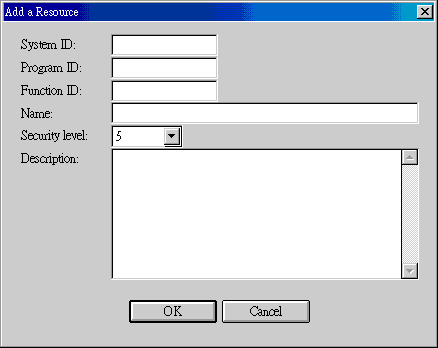 Suggestion: 5 for security level. This will let users with lower user security levels set permissions. If the security levels of newer resources are higher than current users, these resources are not accessible to them. |
||||||
| Modify | If the security level of a modified resource is higher than the operating user, the modified resource will disappear from the user after modification. | ||||||
| Remove | When a resource is deleted, all permissions are deleted as well. | ||||||
| Permissions | 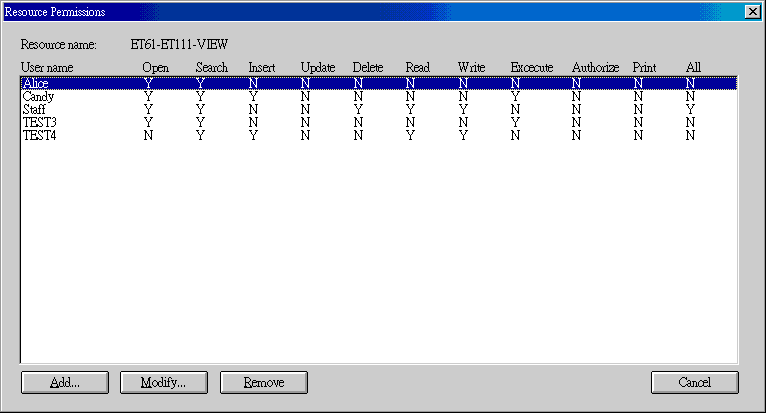
|
Use Menu -> Setting -> Active Users to check currently logged in users. If you delete a user, she will not be able to run new program.
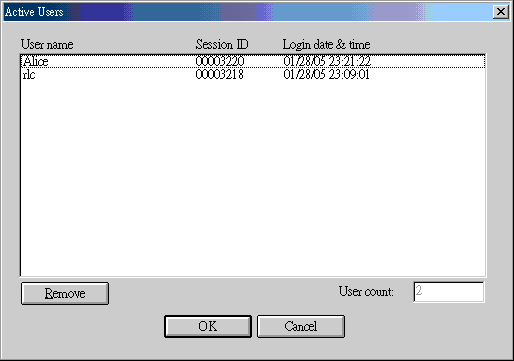
Active user count is not correctly decreased when Torus has not been properly exited. If you find that a user's login date/time is apparently out of date, you can remove such a user from this active user list.
| Date | Version | Downloads | Actions & Explanations |
|---|---|---|---|
| 2009-11-8 | SP4 | secmazip.exe. | New system code SECMAN-username. |
| 2008-5-1 | SP4 | secmazip.exe, etconvzp.exe, _resourc.exe. | Install etconvzp.exe, start etconv.exe and execute 41. Resource. _resourc.exe is blank transaction file for resources; it will write over original transaction records. |
| Code | Field | Values | Explanations |
|---|---|---|---|
| SECMAN-username | 8 | Lines of System ID-Program ID pairs | To permit user (username) to look up
resources in the left-hand-side programs. username is case-sensitive. One
line for a System ID-Program ID entry. Use capital letters. For example, ET61-ET411 ET61-WRECORD ... |
Last modified: June 2013