


ET312 Quotation Viewing & Printing
報價單預覽列印
Contents
00. OverviewET6.1 提供多種報價單格式; 所有格式都可以插入產品影像. 針對一個 item, 有單一價格, 有多條款多價格, 有多數量多價格. 文件形式上, 有標準樣式, 有圖像報價, 有單頁報價等. 大多數格式均有匯出成 Excel 檔案功能. 電子郵件功能可以將報價單以電子郵件格式直接傳給客戶, 不必透過中間檔案 (如 Excel). 最後, 如有必要, 可單印報價單影像集 (photo sheet).
各式文件上使用的標題文字均可另行設定. 使用語文亦可選擇.
|
列印及預覽各式報價單. |
|
產生 Excel 格式報價單. |

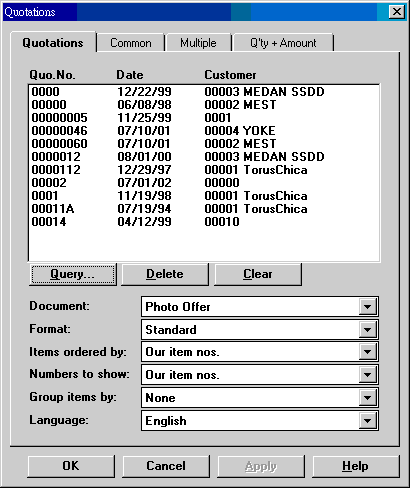
| Quotation No....Date... | 使用以下 Query 找尋所要列印報價單. 可重複使用, 報價單會累積起來. 一次可以列印多張報價單. |
| Query | 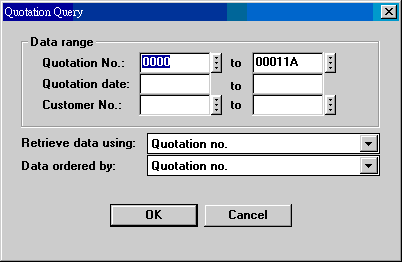 可使用 quotation no., quotation date 或 customer no. 來找尋所要報價單. |
| Delete | 刪除單一報價單. 先選再刪. |
| Clear | 清除已選報價單. |
| Document | 報價單有六種文件樣式: Quotation: 標準樣式. 三種格式都有. 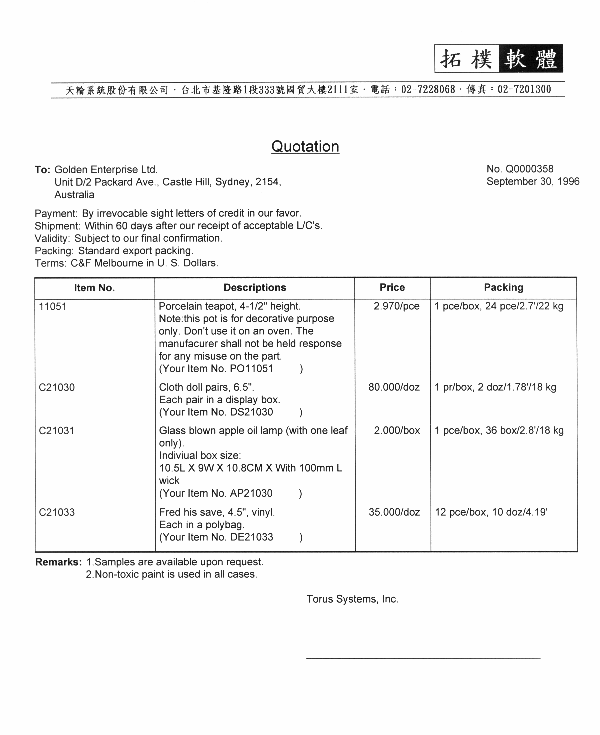 Photo Offer: 每頁三個 items, 產品圖像佔一半面積. 有 standard 和 multiple-quote 兩種格式. 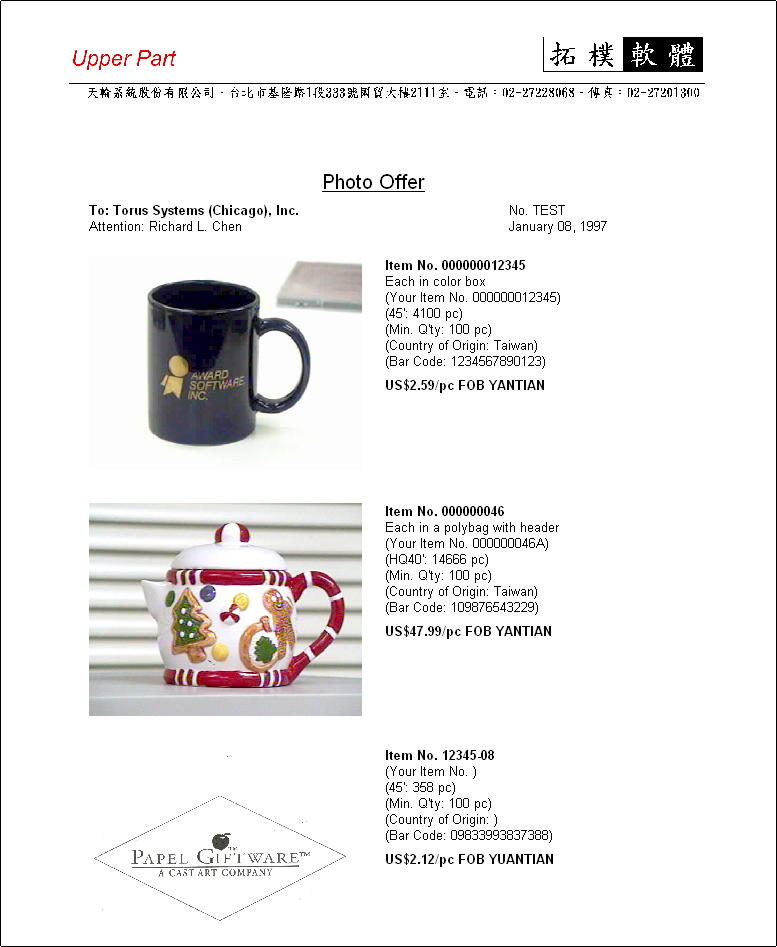 Photo Offer Plus: 每頁兩欄 flow 形式報價單, 先圖後文字, 可顯示產品條碼. 同 photo offer, 有 standard 和 multiple-quote 兩種格式. 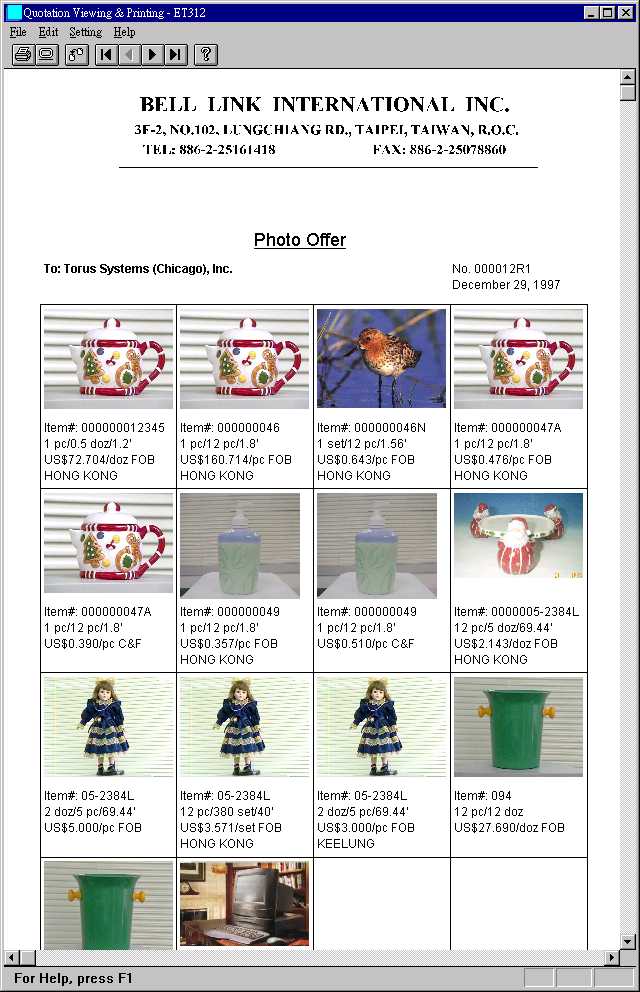 Small Photo Offer: 不顯示短品名時, 每頁有 16 張影像; 顯示短品名時, 每頁有 12 張影像, 文字內容含貨號, 包裝和報價, 是一種短小精幹的報價單. 只有 standard 一種格式. 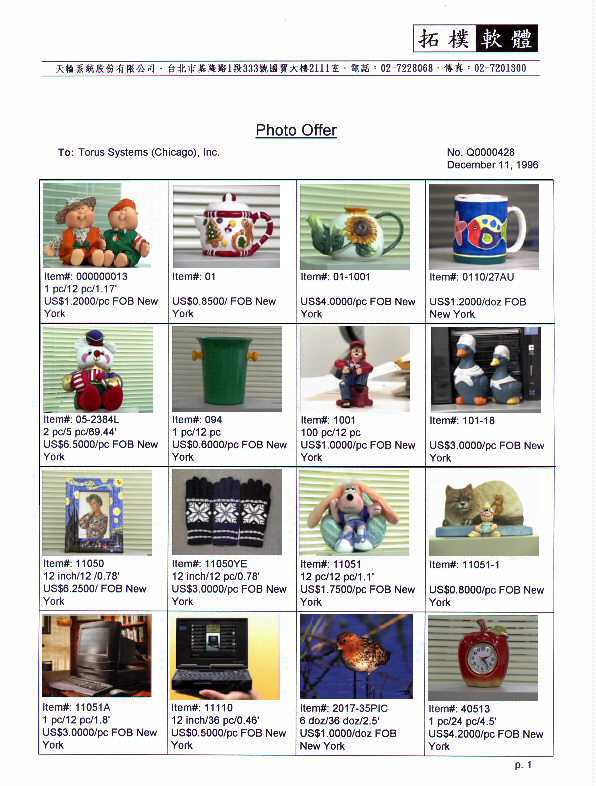 Offer Sheet: 每頁一個 item, 圖像文字之外, 有詳細包裝等資料. 只有 standard 一種格式. 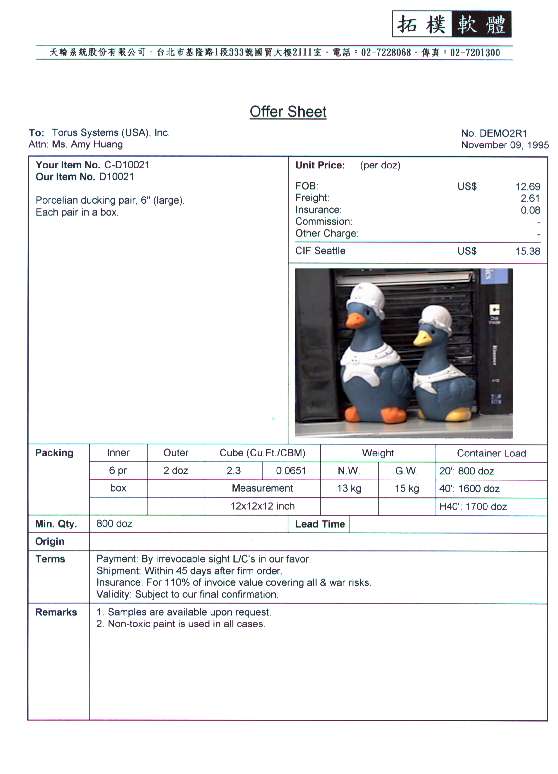 Quantity + Amount: 含數量及金額之報價單. 只有 standard 一種格式, 每個 item 僅有一個數量及單價.  |
| Format | 三種格式: Standard: 一個 item 一個報價, 不顯示數量. Multiple-Quote: 每一個 item 有多個不同條款的報價. Multiple-Quantity: 每個 item 因數量不同而有不同的報價. |
| Items ordered by | Our item nos., customer item nos., model nos., entry sequences. |
| Numbers to show | Our item nos., customer item nos., model nos. |
| Group items by | None: 不分類. Category: 以產品 category 分類, 並在每一類別之前印出 category 名稱. |
| Language | English, 1st local, 2nd local. |
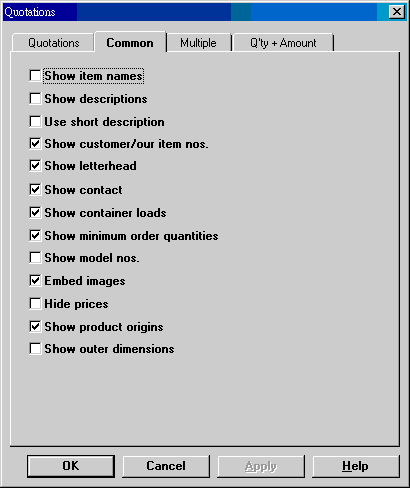
| Show item names | 可用系統編碼 SYSTEM-GENRE 第 11 字設定. |
| Show descriptions | |
| Use short description | 只顯示短品名, 而非全品名. |
| Show customer/our item numbers | |
| Print letterhead | 列印信頭. 依各報價單中的 company no. 選擇信頭. |
| Show contact | |
| Show container loads | Shows the 1st container load available from the following sequence: H40', 40' and 20'. |
| Show minimum order quantities | |
| Show model numbers | |
| Embed images | |
| Hide prices | |
| Show product origins | |
| Show outer dimensions |
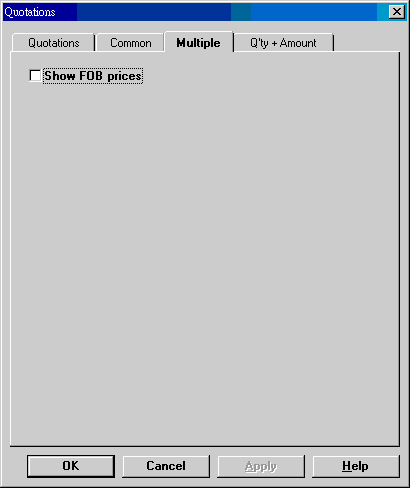
| Show FOB prices | 假如主要報價非 FOB, 可以同時列出 FOB 報價. |
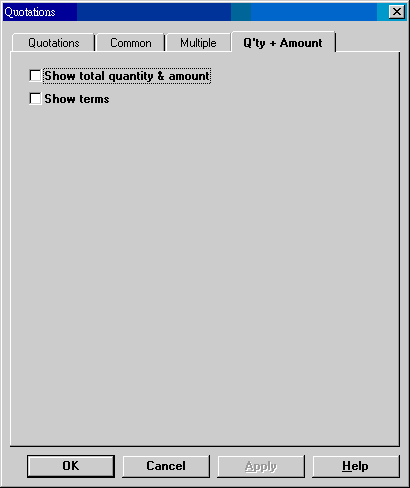
| Show total quantity & amount | Quantity + Amount 格式時, 可以顯示數量, 並且同時顯示金額, 及金額合計. |
| Show terms | 若不需要條款, 可以不顯示. |
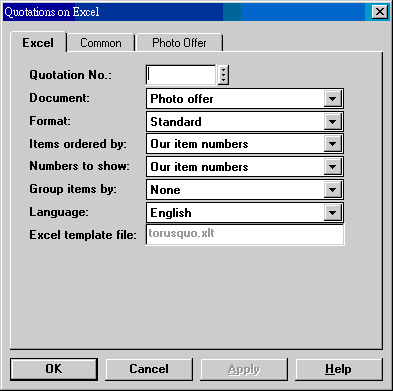
| Quotation No. | 一次只能匯出一張報價單至 Excel. |
| Document | Photo Offer:  Quotation:  Small Photo Offer:  Simply Flat: 一個 item 置於一橫列上. |
| Format | Standard: Multiple-quote: Multiple-quantity: |
| Items ordered by | Our item nos., customer item nos., model nos., entry sequences. |
| Numbers to show | Our item nos., customer item nos., model nos. |
| Group items by | None, category. |
| Language | English, 1st local, 2nd local. |
| Excel template file | torusquo.xlt. |
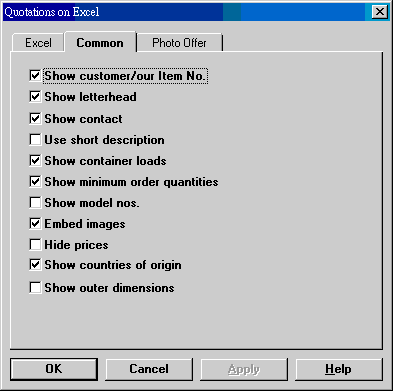
| Show customer/our item no. | |
| Show letterhead | |
| Show contact | |
| Use short description | |
| Show container loads | |
| Show minimum order quantities | |
| Show model nos. | |
| Embed images | |
| Hide prices | |
| Show countries of origin | |
| Show outer dimensions |
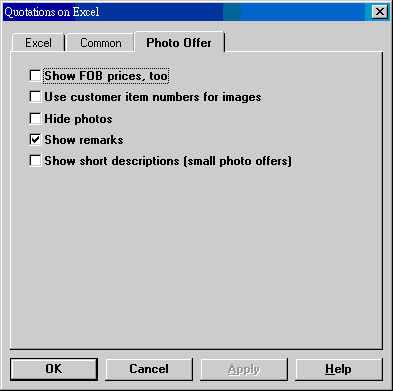
| Show FOB prices, too | 除了標準報價外, 再加顯示 FOB 價格. 若標準報價亦為 FOB, 到底意義如何, 使用者要自行解釋. |
| Hide photos | |
| Show remarks | |
| Show short descriptions (small photo offers) | Small Photo Offer 由於空間限制, 標準只有報價無品名. 若顯示品名, 顯示格會擴大, 每頁容納的項目會依例減少. |
以電子郵件發送報價單給客戶時, 使用報價單上客戶連絡人及其郵件地址. 若需要送給其他人, 在 Direct Contacts (見客戶資料輸入) 建立客戶連絡人及郵件地址. 送件人的郵件地址在系統編碼設定, 顯示名稱為公司名稱. 發信時, 除了上述客戶連絡人外, 會以 BCC 的方式送給 login user 及 Sales. 若指定要 use reply-to, 以 Sales 為 reply-to 對像. Login user 使用其 staff no., 然後在 Staff 檔案找出郵件地址. Sales 則直接由 Staff 檔提供郵址.
以上說明適用於新版作業. 舊版係透過 Excel 發信, 影像內於電郵中, 檔案較大, 但閱覽時不需上網. 新版若有影像時, 需由 Web server 提供影像, 郵件較小, 是一般工商郵件相同. 舊版只能送給一個收件人.
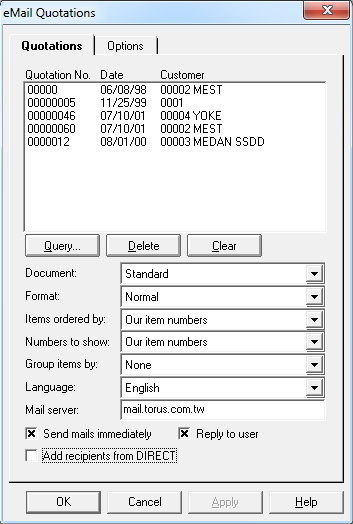
| Quotation No....Date... | 一次可送出一張以上報價單. 使用以下 Query, Delete, Clear, 找出想要處理的文件. |
| Query | |
| Delete | |
| Clear | |
| Document options | |
| Format options | |
| Items ordered by | |
| Numbers to show | |
| Mail server | |
| Send mails immediately | Send eMail quotations after clicking the OK button. If not checked, no mail delivery is made. HTML files are available in the q:\torus\et61\html folder. |
| Reply to user | The default setting is for customers to reply to mail sender (usually a company account) set in system codes; no reply-to party is specified. If this check box is set, the reply-to party of quotation mails will be set to this logged-in user, using her name and e-mail address in Staff file. |
| Add recipients from DIRECT | The Direct file allows you to add extra contacts beside the one that can be specified in each quotation. Sending to more than one recipient is possible if you have added such contacts in ET121 Customer. |
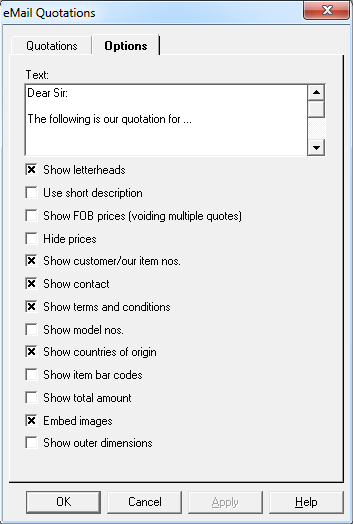
| Text | You can add some text before the actual quotation, above letterhead. This text applies to all quotations, if more than one are queried and included. Also, HTML tags are allowed in this text, as the whole eMail documents are of HTML format. |
| Show letterheads | Letterhead and embedded images (below) are just links when ET7 mailing functions are used. They need to be hosted in a Web server. |
| Embed images |
升級注意事項見 How Tos.
本程式為訂製程式, 列印報價單中產品影像, 每一個產品印成一頁.
使用時, 可選用特定資料夾中解析度較高影像,
影像位置和大小可以即時調整.
產品檔和客戶貨號檔之影像亦可加入一起列印. 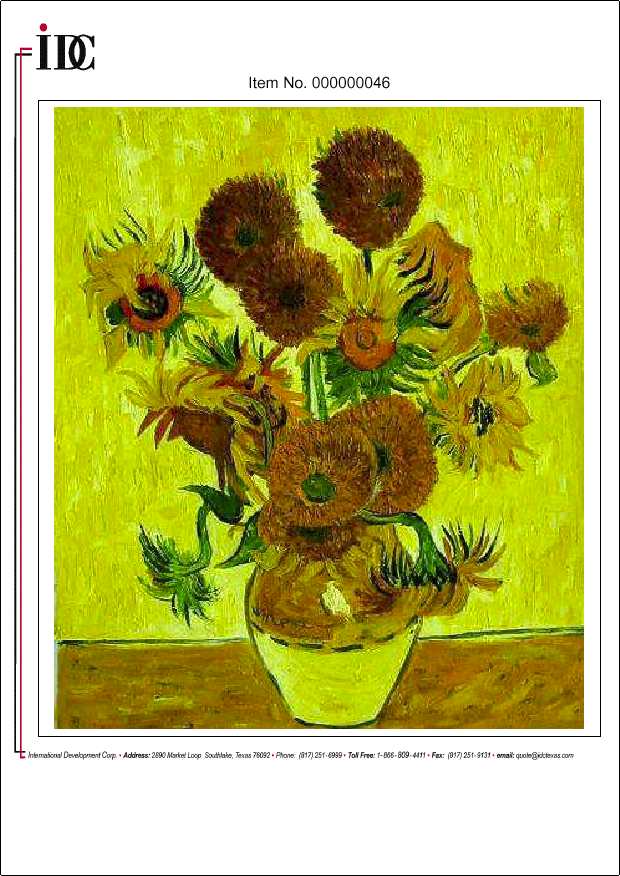
以下為相關設定:
| System Code | Long Name Field Value | Explanation |
|---|---|---|
| ET312-IMAGE-LARGE | f:\torus\et61\image\large\ | 若未設定, 則在影像資料夾 (通常為 f:\torus\et61\image) 之下的 large 資料夾. |
| ET312-LARGEPIC | xxxxxxxxxxxxxxxxxxxx | Program key. 本功能需另購, 由本公司取得式授權始可使用. |
| ET312-LAYOUT-LGPIC | 0.75,1.0,7.0,8.5,0.75,0.75,9.0,5.75 | 兩對 (x, y, cx, cy) 數字, 對映垂直及水平列印時之位置和大小. 未設定時數值如前. |
信頭檔案名稱為 LTRHD2x.GIF, x 由 1 算起. 若報價單使用的 company no. 為 1, 則選用檔名為 ltrhd1.gif, 若 company no. 為 2, 則選用檔案為 ltrhd22.gif. 信頭常有文字, 所以解析度要高點才好, 水平和垂直都應在 2000 以上.
| Date | Version | Downloads | Actions & Explanations |
|---|---|---|---|
| 2010-8-24 | SP4 | et312zip.exe. | 升級至 SP4. |
| 編碼 | 欄位 | 例值 | 說明 |
|---|---|---|---|
| ET312-IMAGE-LARGE | 3 | q:\torus\et61\image\large | Folder storing images of higher resolutions. |
| ET312-LAYOUT-LGPIC | 3 | 0.75,... | 2 sets of 4 numbers, representing x position, y position, cx width, cy height. Dimensions for portrait and landscape pictures. Defaults: 0.75,1.0,7.0,8.5,0.75,0.75,9.0,5.75 |
| ET312-LAYOUT-SPOFFER | 3 | 4 numbers | Customizes column positions for Small Photo
Offer. Default: 0.0,1.6,4.25,7.2 |
| ET312-LAYOUT-STAND | 3 | 5 numbers | Customizes column positions for Standard
Format quotation. Default: 0.0,1.6,4.25,5.25,7.3 |
| HTML-HOME | 3 | http://www.torus.com.tw | Home page that letterhead of eMail Quotation links to. |
| MAIL-ADDRESS | 3 | info@torus.com.tw | Sender e-mail address for eMail Quotations, if unavailable from staff number setting and unavailable from MAIL-ADDRESS-QUO. |
| MAIL-ADDRESS-QUO | 2 3 |
Torus Systems, Inc. sales@torus.com.tw |
Sender e-mail name, up to 20 bytes. Sender e-mail address for eMail Quotations, if unavailable from staff number setting. System code MAIL-ADDRESS will be used if this code is not set. |
| MAIL-SERVER | 3 | mail.torus.com.tw | SMTP server name used to send mails |
| QUO-FONT | 3 5 |
Arial 136 |
Printing font. Font name and character set. |
| QUO-GENRE | 3 | A string (100 characters) | 30. Send eMail quotations immediately (Y/N) 35. Show terms for quantity + amount format (Y/N) 68. Activate document authorization (Y/N) 70. Multi-quote quotation, show FOB prices (N/Y) 94. Excel template version 2003 (Y/N) 95. Set reply-to user for eMail quotations (Y/N) 96. Lock reply-to user check box (N/Y) 97. Show Small Photo Offer packing (Y/N) |
| QUO-LABELS-0 | 8 | 0=continued 1=End 2=Date 3=Page 4=Page: %d 5=No. 6=To 7=Address 8=Phone 9=Fax 10=E-Mail 11=Attention 12=Item No. 13=Description 14=Quantity 15=Price 16=Amount 17=Total 18=Subtotal 19=Customer Item No. 20=Quotation 21=20' 22=40' 23=HQ40' 24=45' 25=Model No. 26=Min. Q'ty 27=Country of Origin 28=Our Item No. 29=Your Item No. 30=Bar Code 31=Dimensions 32=Currency 33=Payment 34=Shipment 35=Insurance 36=Validity 37=Packing 38=Terms 39=Remarks 40=Photo Sheet 41=Photo Offer 42=Photo Offer 43=Terms & Conditions 44=Offer Sheet 45=Lead Time 46=Freight 47=Insurance 48=Commission 49=Other Charge 50=Inner 51=Outer 52=Cube 53=N.W. 54=G.W. 55=Weight 56=Container Load 57=Days 58=Quotation 59=Photo Offer |
English. 42. Title for photo offer plus. 58. Title for qty + amt 59. Title for small photo offer. |
| QUO-LABELS-1 | 8 | 0=接次頁 1=結束 2=日期 3=頁數 4=頁數: %d 5=號碼 6=客戶 7=地址 8=電話 9=傳真 10=電子郵件 11=聯絡人 12=貨號 13=品名 14=數量 15=單價 16=金額 17=合計 18=小計 19=客戶貨號 20=報價單 21=20' 22=40' 23=HQ40' 24=45' 25=型號 26=最低數量 27=原產地 28=我方貨號 29=貴方貨號 30=條碼 31=外箱尺寸 32=幣別 33=付款方式 34=出貨時間 35=保險條款 36=有效期限 37=外箱包裝 38=報價條款 39=注意事項 40=產品圖片 41=圖片報價單 42=圖片報價單 43=報價條款 44=報價單 45=交付時間 46=運費 47=保險費 48=佣金 49=其他費用 50=內盒數量 51=外箱數量 52=材數 53=淨重 54=毛重 55=重量 56=整櫃數量 57=日 58=報價單 59=圖片報價單 |
繁體中文. 42. Photo offer plus 文件抬頭. 58. Q'ty + amount quotation 文件抬頭. 59. Small photo offer 文件抬頭. |
| QUO-LABELS-2 | 8 | 簡體中文. 42. Photo offer plus 文件抬頭. 58. Q'ty + amount quotation 文件抬頭. 59. Small photo offer 文件抬頭. |
|
| QUO-SIGN | 3 | Authorized Signature | Default authorized signature, if one is unavailable from staff number setting. |
| SYSTEM-GENRE | 3 | 100 bytes | 11. Show item names (N/Y) 12. Show price currency (N/Y) |
Last modified: June 2014